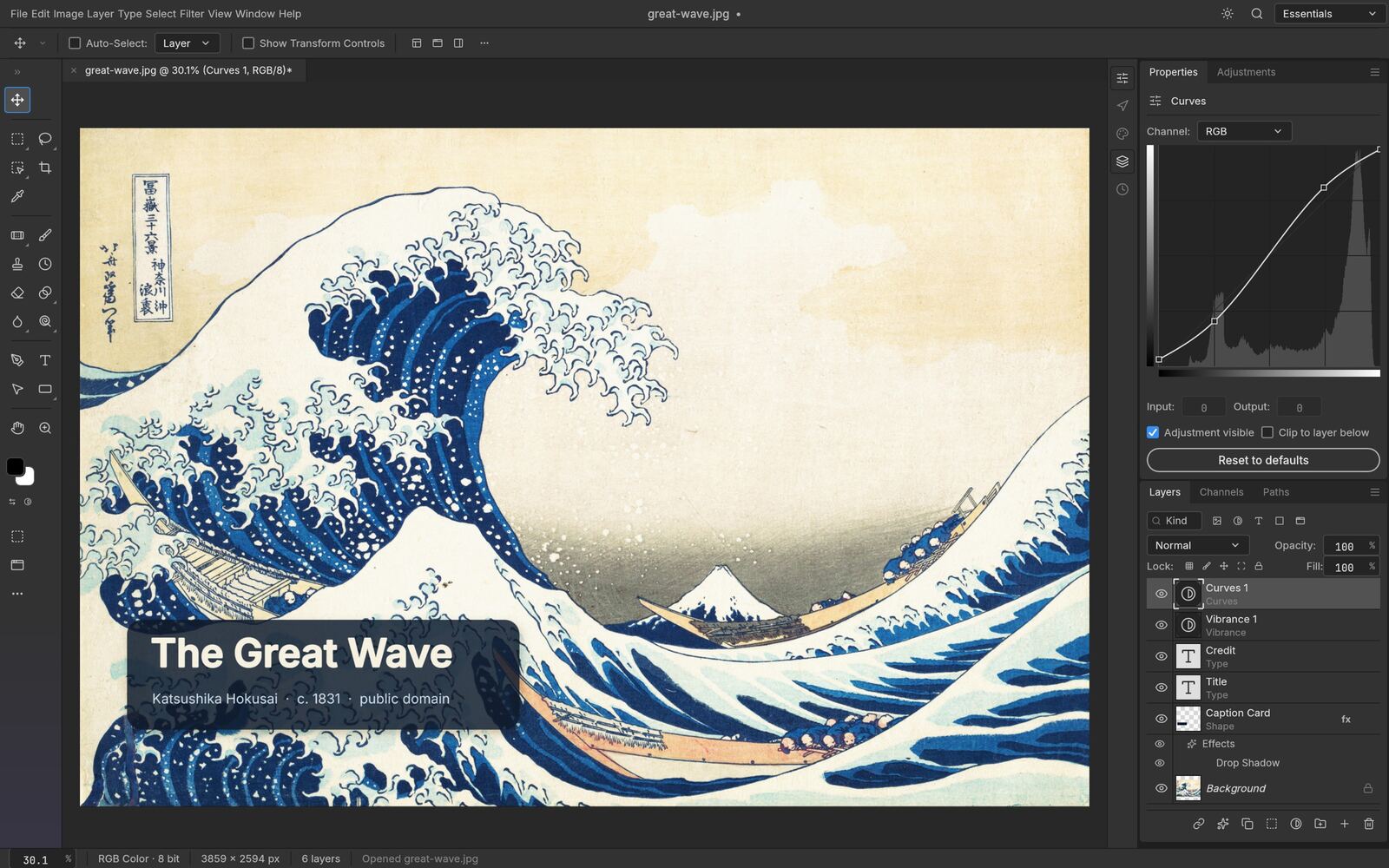
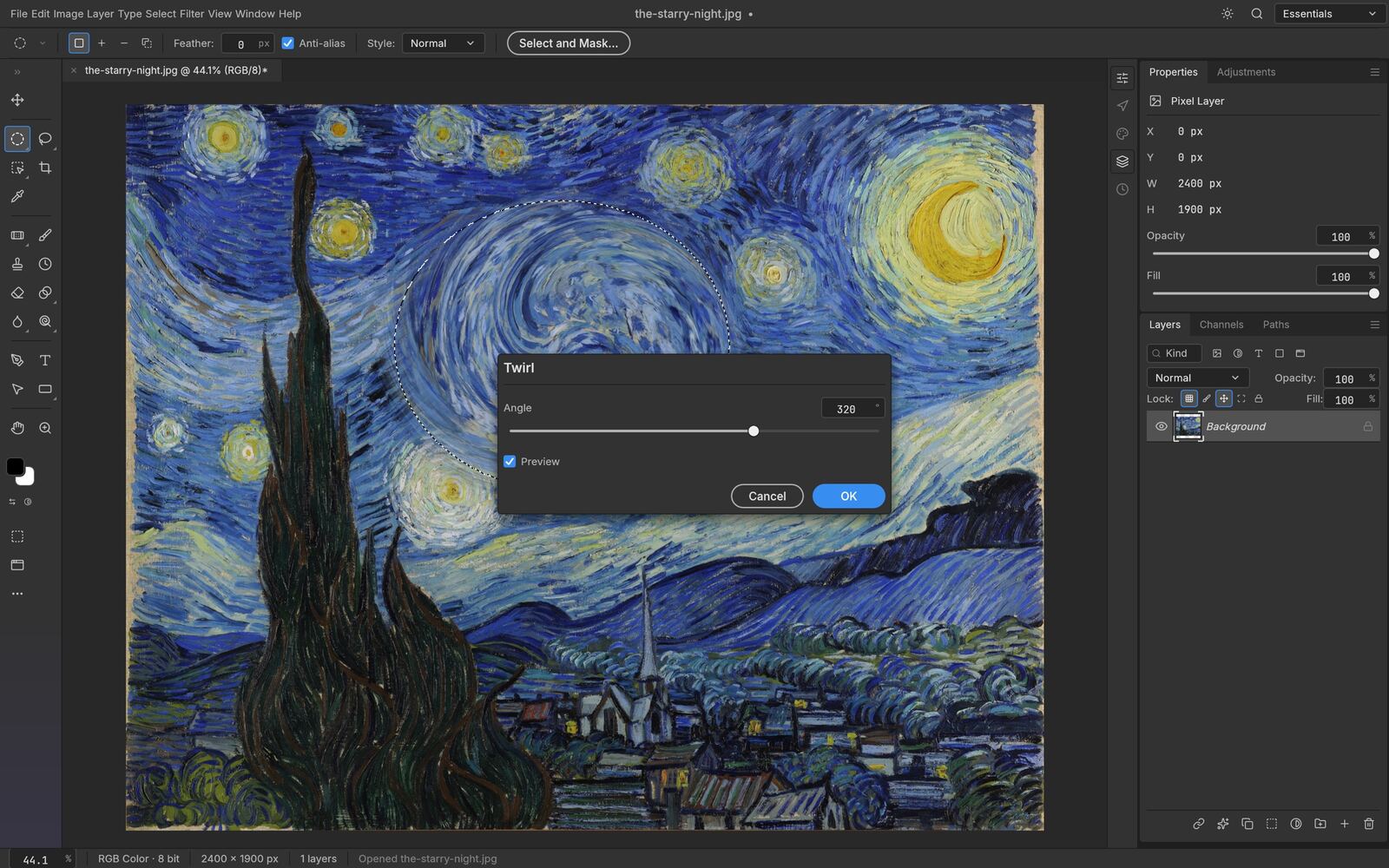
PhotoCraft Online is a free PhotoCraft photo editor app: layers, masks, adjustment layers, type and real PSD files, with Photoshop's own layout. This PhotoCraft editor online free runs with no install, no account and no upload — your images never leave your computer.
MIT OR Apache-2.0 licensed · Built in pure Rust · 65k+ GitHub stars
PhotoCraft follows Photoshop's own menus and shortcuts, so if you know one, you already know where things are in the other.
Open, edit and save layered Photoshop documents, including PSB, with layers, groups, masks and type kept intact.
Curves, Levels, Vibrance, Hue/Saturation and a dozen more, stacked, masked and reordered. Your original pixels never change.
A GPU compositor on wgpu, copy-on-write tiles and multithreaded filters. No Electron, no web view, no waiting.
Marquees and lassos for precision, Object Selection and Select Subject when you want help, Select and Mask for hair-fine edges.
Point and paragraph text edited right on the canvas, with full character and paragraph control. Round-trips through PSD.
PhotoCraft runs inside your browser as WebAssembly. Nothing you open or export is ever sent to a server.
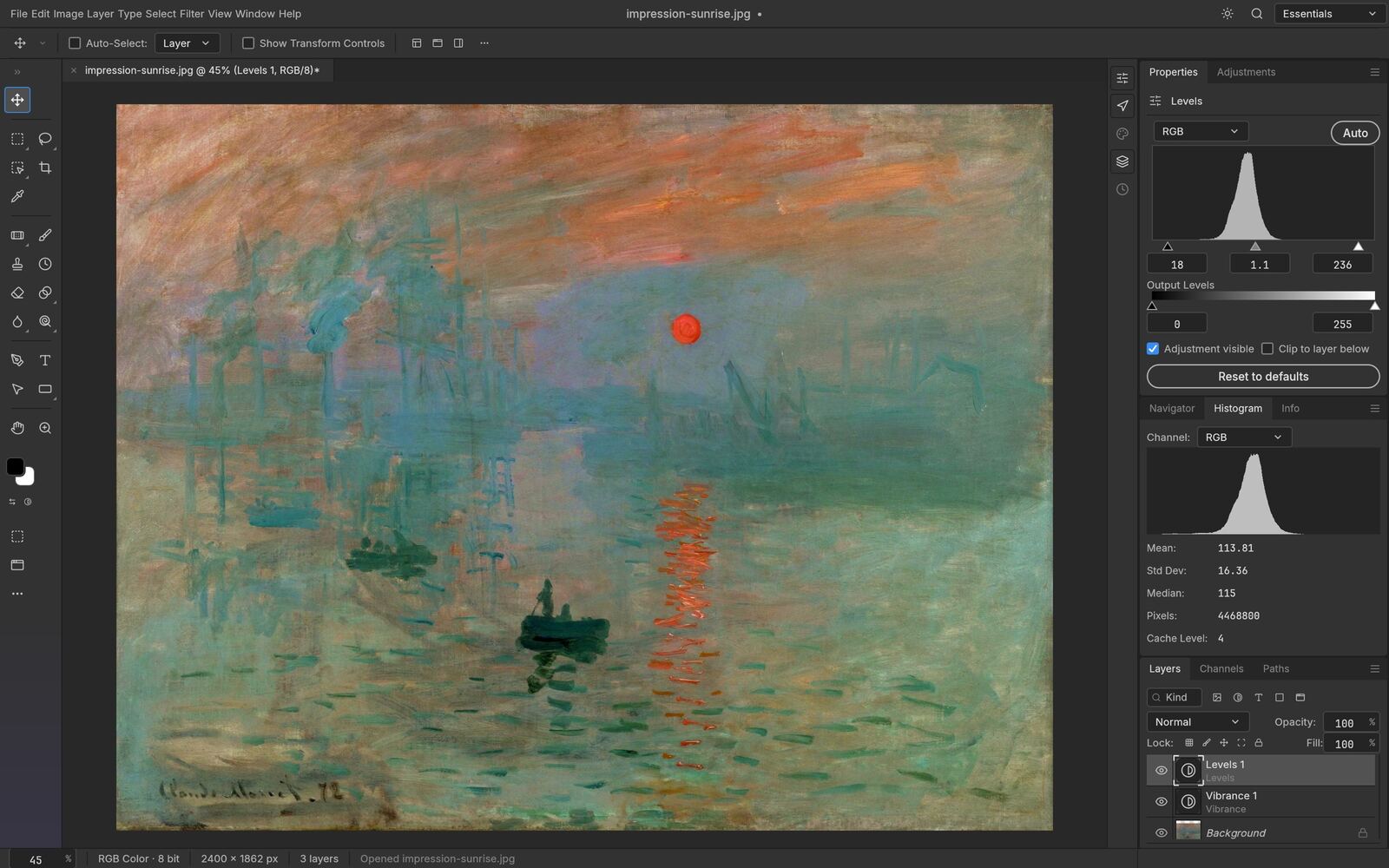
Stack adjustment layers, mask them to one area, reorder them, or turn them off entirely — the live Histogram panel updates as you work, and your original pixels are always one click away.
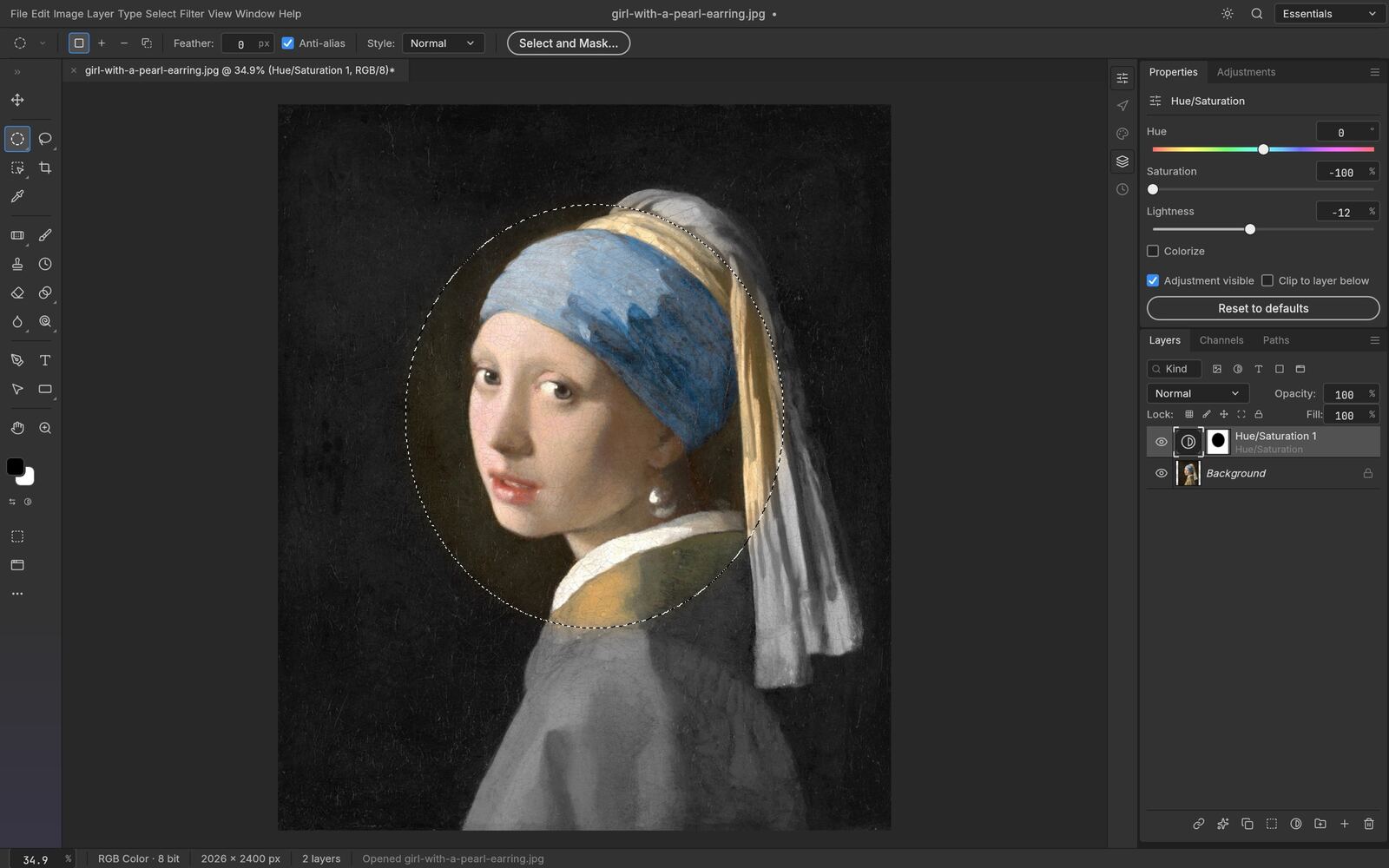
Turn any selection into a layer mask, a vector path or a shape. Feather, expand, smooth and refine hair-fine edges with Select and Mask — all computed on your own machine, with no cloud and no account.
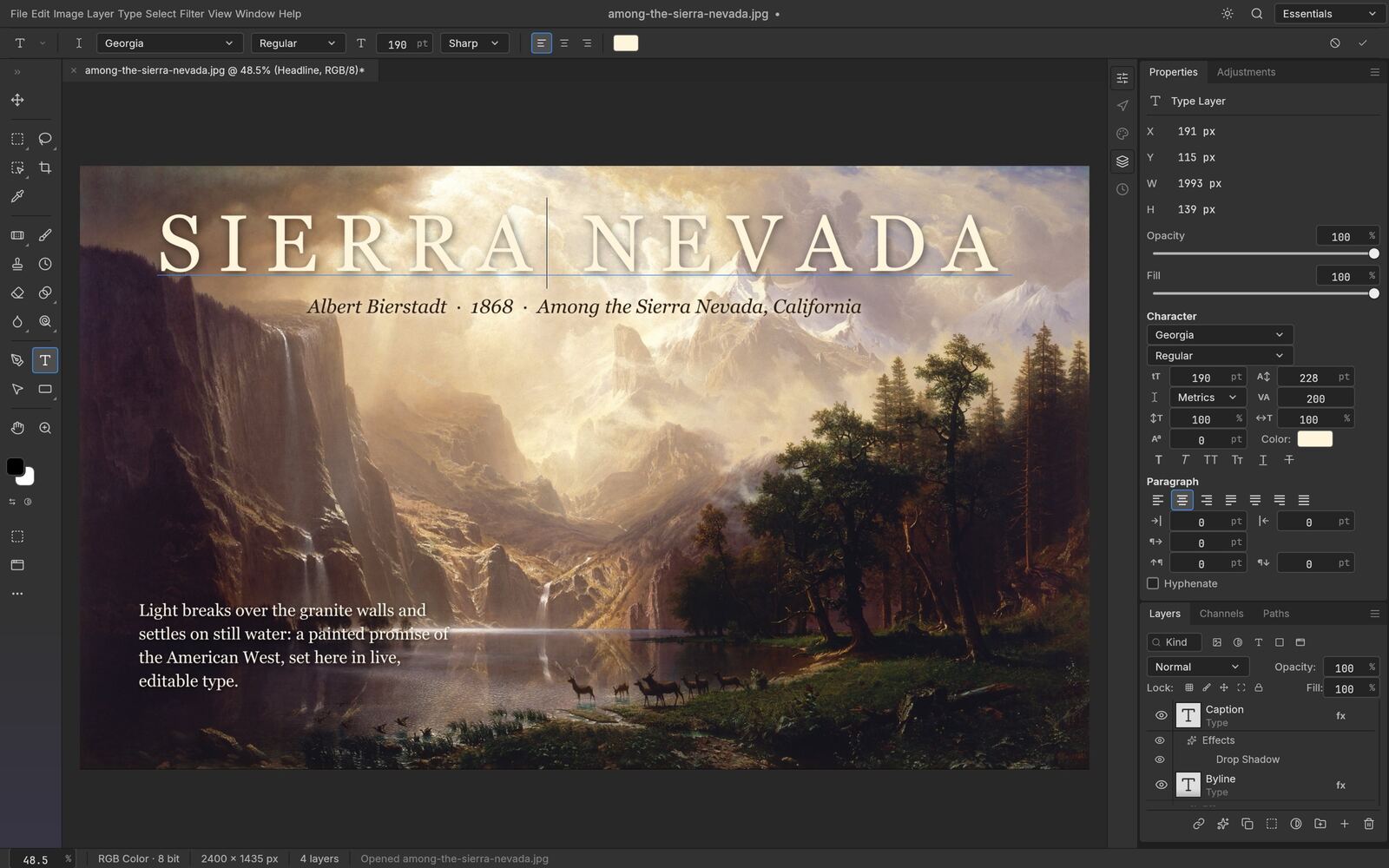
Font, weight, size, leading, tracking and alignment, set right on the canvas. Type layers take layer styles and round-trip cleanly through PSD, every time.
Blurs, sharpening, noise reduction, distortions and stylize filters all preview on the canvas, through your selection, before you commit. Run one on a smart object and it stays editable.
Early alpha. PhotoCraft is not yet a full Photoshop replacement for daily professional work — expect rough edges, and save often, since the browser build has no autosave. This site is an independent, community-hosted build of the open-source project and is not affiliated with, sponsored by, or endorsed by its original authors. Adobe and Photoshop are trademarks of Adobe Inc., used here only to describe compatibility.
Yes. PhotoCraft Online is a free PhotoCraft editor online free of charge — the app is open source under MIT OR Apache-2.0, needs no account, and nothing is locked behind a paywall.
This site runs the PhotoCraft web build straight in your browser, so there's nothing to download to get started. The PhotoCraft project also publishes a downloadable desktop app for macOS, Windows and Linux on its GitHub releases page, if you'd rather install PhotoCraft as a native app.
No. PhotoCraft runs inside your browser with WebAssembly. Opening, editing and saving all happen on your own device.
Yes. PhotoCraft reads and writes layered PSD and PSB files, keeping layers, groups, masks, adjustment layers, type and layer styles intact.
Any current Chrome, Edge, Firefox or Safari. PhotoCraft uses WebGPU when available and falls back to WebGL2 automatically.
No. This is an independent, community-hosted build of the open-source PhotoCraft project. The source code and original project live on GitHub, linked above.
The PhotoCraft photo editor app, free and private, already loaded from cache on your next visit.
Open the Editor →