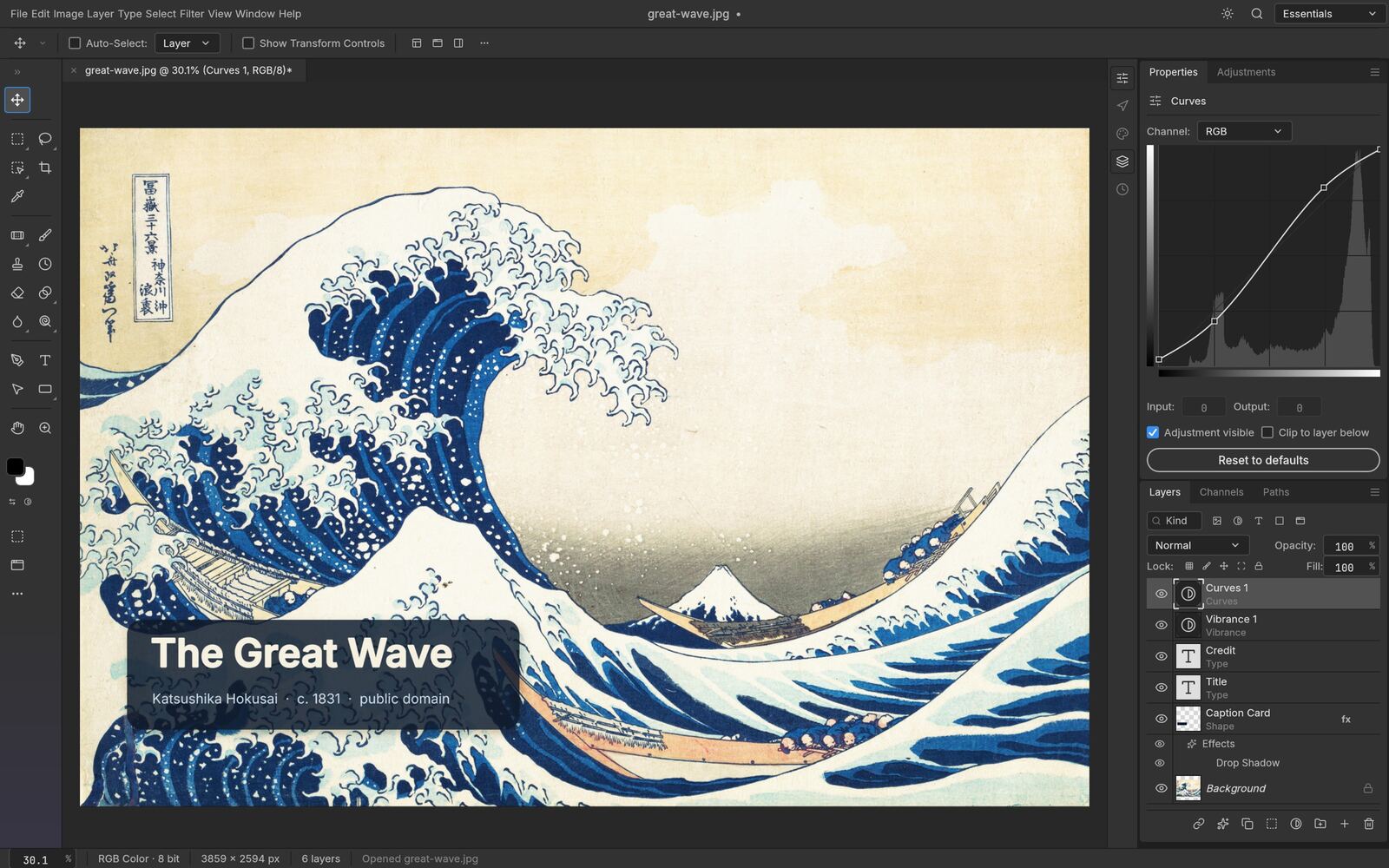
Open, modify, and save layered Adobe Photoshop (PSD & PSB) files without subscriptions or heavy installations. Powered by pure Rust and WebAssembly, PhotoCraft keeps your files strictly on your hardware — delivering instant native speed with complete creative confidentiality.
No Login Required · MIT & Apache 2.0 · Built in pure Rust
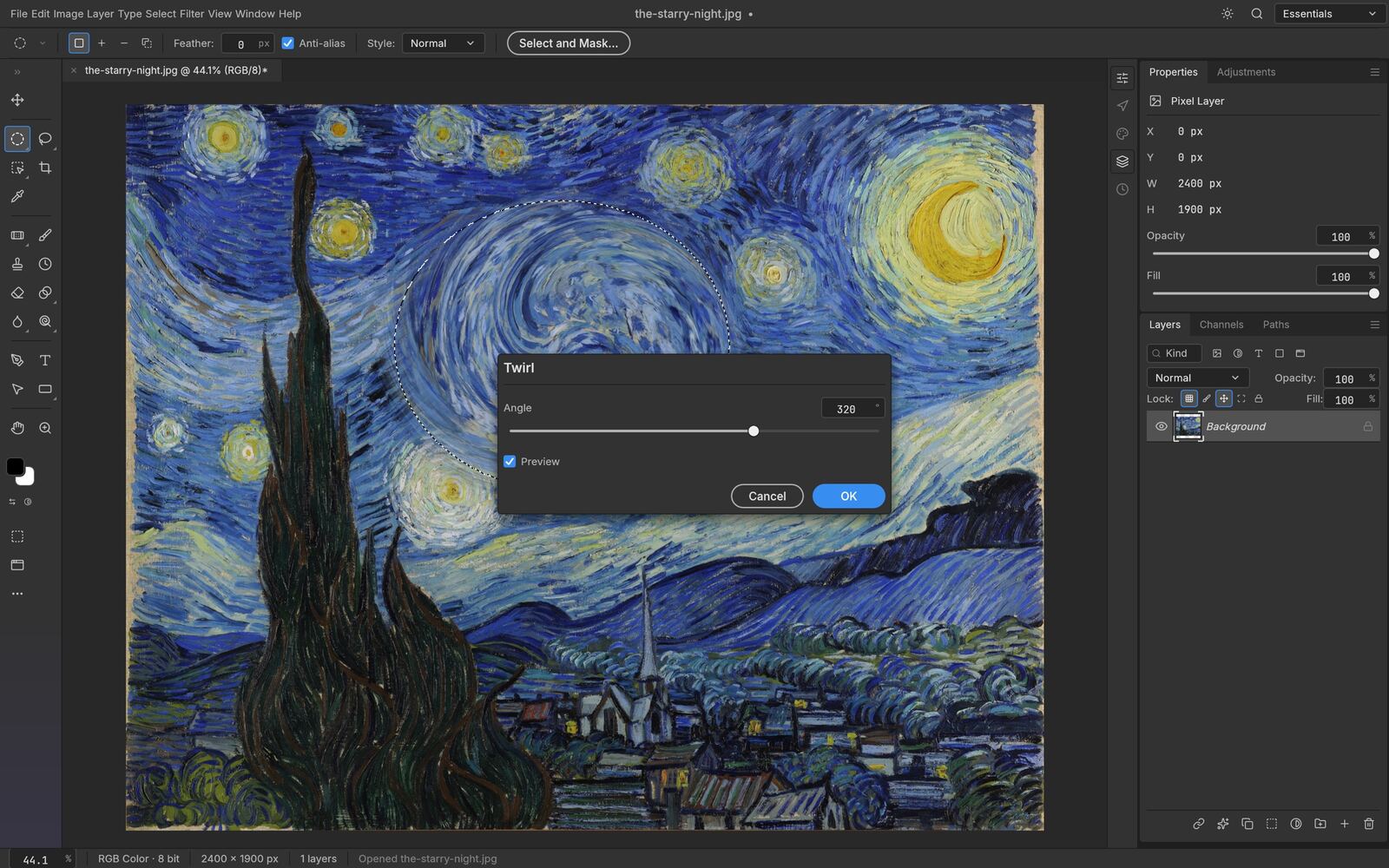
PhotoCraft follows Photoshop's own menus and shortcuts, so if you know one, you already know where things are in the other.
Inspect and manipulate multi-layered Photoshop projects. Retains layer masks, clipping paths, blend modes, adjustment layers, and folder groups without flattening or quality loss.
Your graphics never transmit to external servers. All rasterization and filter rendering executes directly in your local browser sandbox via compiled Rust bytecode.
Tune Curves, Levels, Selective Color, Exposure, Vibrance, and Hue/Saturation. Rearrange adjustment stacks in real time with continuous live histogram telemetry.
Take advantage of modern WebGPU and WebGL2 shaders for instant Gaussian blurs, sharpening passes, unsharp masks, and high-precision color balance transformations.
Extract subjects cleanly with polygonal, magnetic, and marquee selectors. Fine-tune complex hair and soft feather transitions via a dedicated edge-refinement workspace.
Full control over kerning, tracking, leading, and multi-line paragraph layout. Text layers remain vector-sharp and export back to PSD without forced raster conversion.
| Workflow Attribute | PhotoCraft.today | SaaS Cloud Suites | Desktop Photoshop |
|---|---|---|---|
| Cost & Licensing | 100% Free & Open Source | Freemium / Recurring Monthly | Paid Commercial Subscription |
| Asset Privacy | 100% Local (Zero Upload) | Stored on vendor servers | Local / Creative Cloud sync |
| PSD Layer Fidelity | Full read/write preservation | Frequently flattened or lossy | Proprietary native baseline |
| Installation Size | Zero megabytes (instant tab) | Web app / browser tab | 4GB+ desktop installation |
| User Registration | Never required | Mandatory account login | Mandatory Adobe ID |
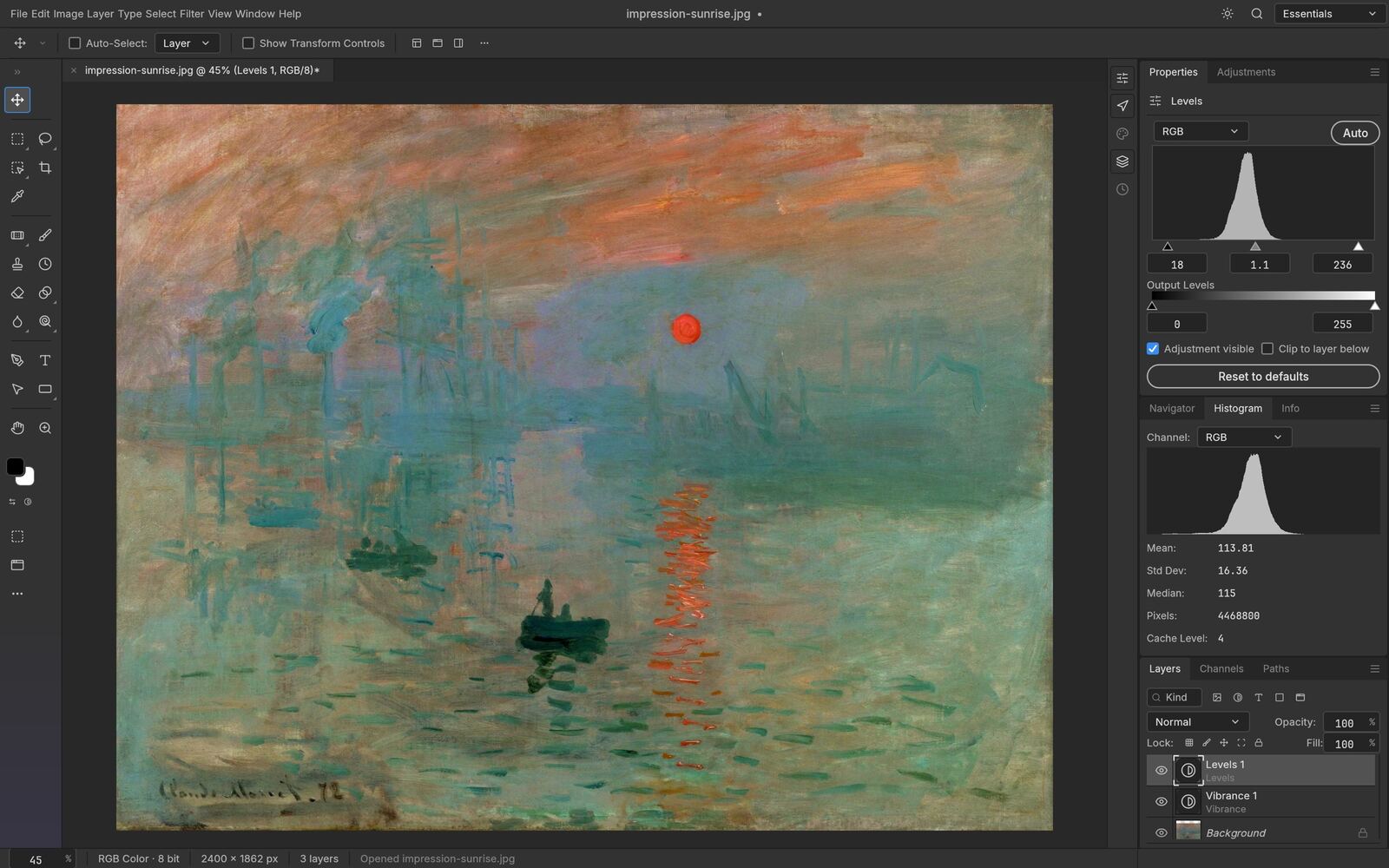
Stack adjustment layers, mask them to one area, reorder them, or turn them off entirely — the live Histogram panel updates as you work, and your original pixels are always one click away.
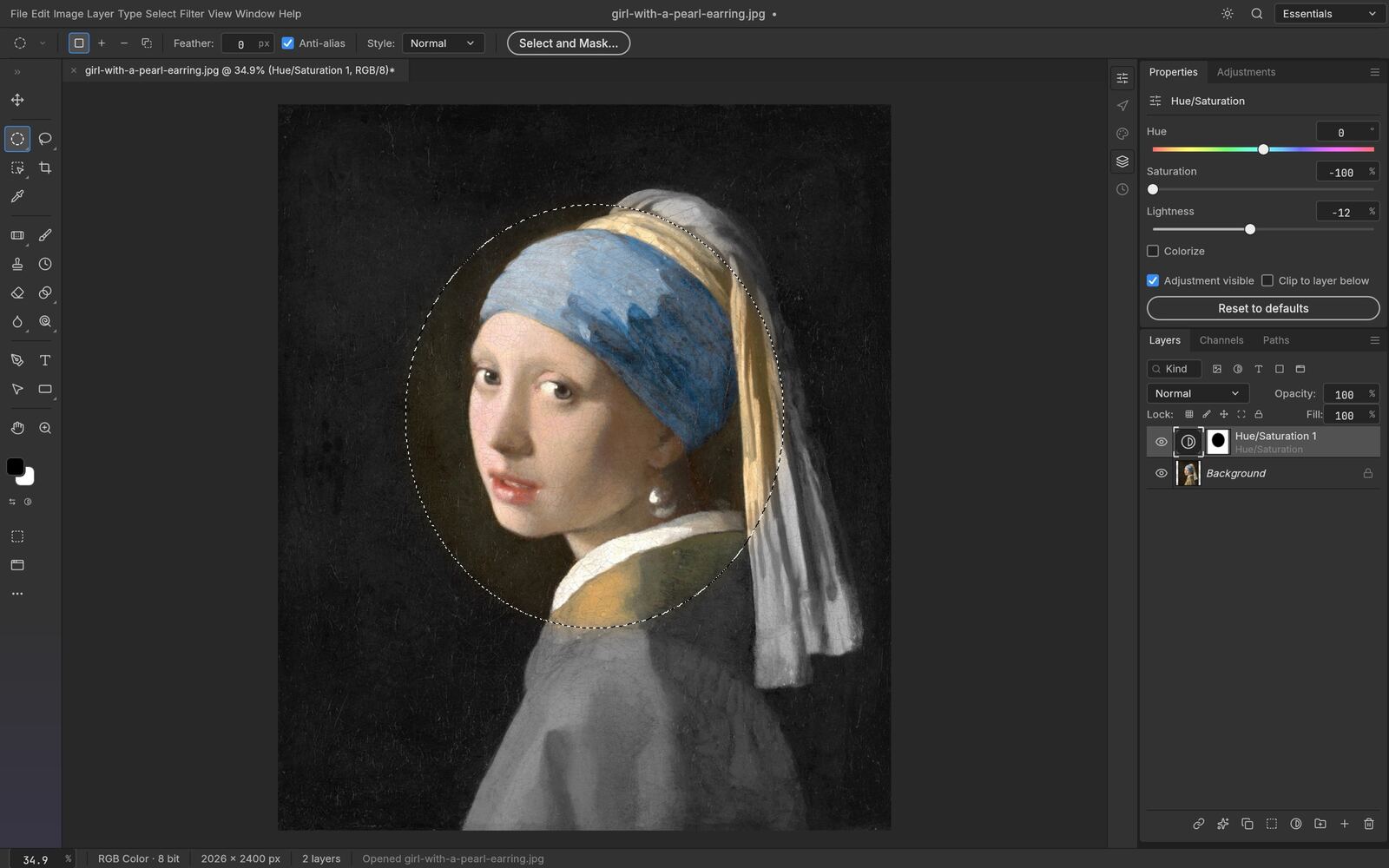
Turn any selection into a layer mask, a vector path or a shape. Feather, expand, smooth and refine hair-fine edges with Select and Mask — all computed on your own machine, with no cloud and no account.
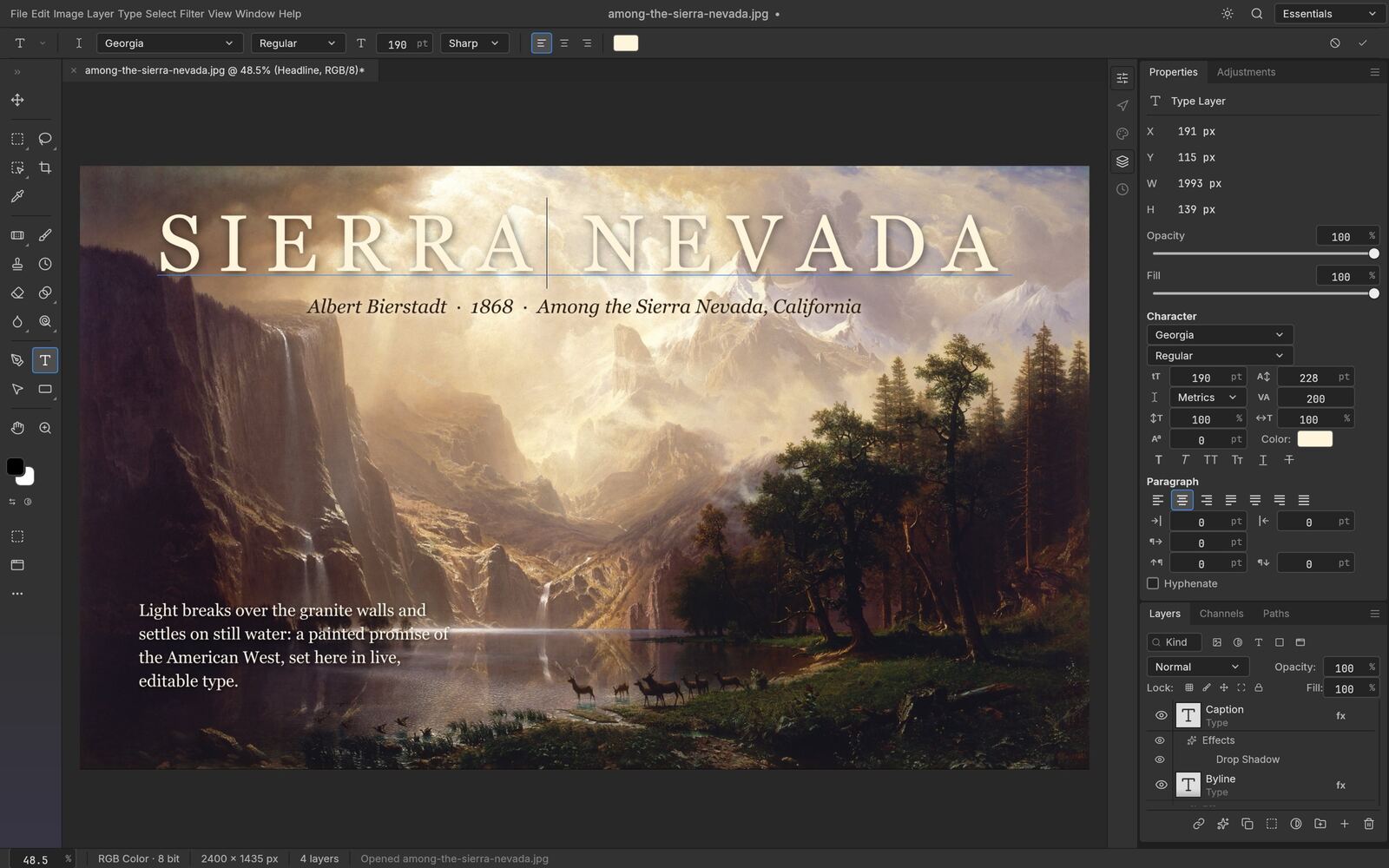
Font, weight, size, leading, tracking and alignment, set right on the canvas. Type layers take layer styles and round-trip cleanly through PSD, every time.
Blurs, sharpening, noise reduction, distortions and stylize filters all preview on the canvas, through your selection, before you commit. Run one on a smart object and it stays editable.
Early alpha. PhotoCraft is not yet a full Photoshop replacement for daily professional work — expect rough edges, and save often, since the browser build has no autosave. PhotoCraft is an independent, community-driven open-source project distributed under the MIT and Apache 2.0 software licenses. Adobe and Photoshop are trademarks of Adobe Inc. PhotoCraft is not affiliated with, authorized by, or sponsored by Adobe Inc. or by the original project's authors. All format mentions are strictly for technical interoperability reference.
PhotoCraft is an open-source, high-performance image editing engine written in pure Rust. The deployment at photocraft.today is a precompiled WebAssembly build that lets anyone view, edit, and export layered graphics directly inside a modern web browser, with nothing to install.
Yes. PhotoCraft natively decodes layered Photoshop (.psd) and large document (.psb) files. Group hierarchies, blend modes, layer masks, and adjustment layers are parsed accurately, and can be edited and re-exported back to native formats.
Completely. Unlike cloud-based editing portals that upload your images to remote servers for processing, PhotoCraft executes entirely on your CPU and GPU inside your browser's local sandbox. No image data is ever sent across the network.
PhotoCraft operates across Google Chrome, Mozilla Firefox, Microsoft Edge, and Apple Safari. Browsers with active WebGPU support see the fastest filter rendering, with automatic fallback to WebGL2 on older platforms.
Yes. PhotoCraft Online is free to use, open source under MIT OR Apache-2.0, needs no account, and nothing is locked behind a paywall.
This site runs the PhotoCraft web build straight in your browser, so there's nothing to download to get started. The PhotoCraft project also publishes a downloadable desktop app for macOS, Windows and Linux on its GitHub releases page, if you'd rather install PhotoCraft as a native app.
No. This is an independent, community-hosted build of the open-source PhotoCraft project. The source code and original project live on GitHub, linked above.
The PhotoCraft photo editor app, free and private, already loaded from cache on your next visit.
Open the Editor →